.png)
Eroare critica
If you cannot recover access, contact support service: [email protected]
The Downloader app is officially available in the Amazon Store, so you don’t need to install it manually. Here’s how you can install it:
1. On the FireStick home screen, scroll all the way to the left to select the Search (Find) icon. Then, scroll down and open Search.
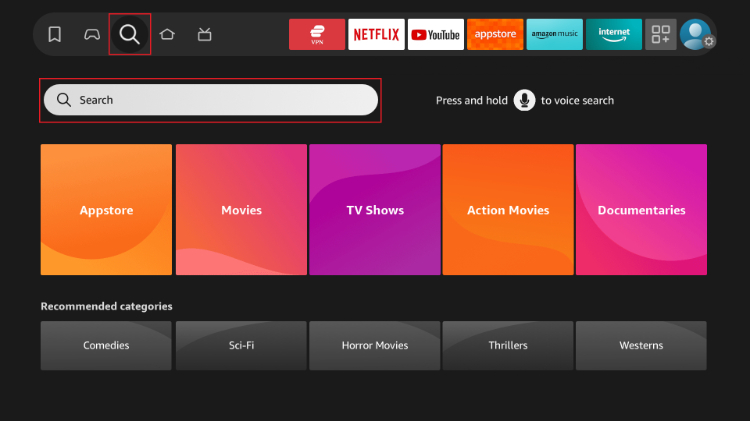
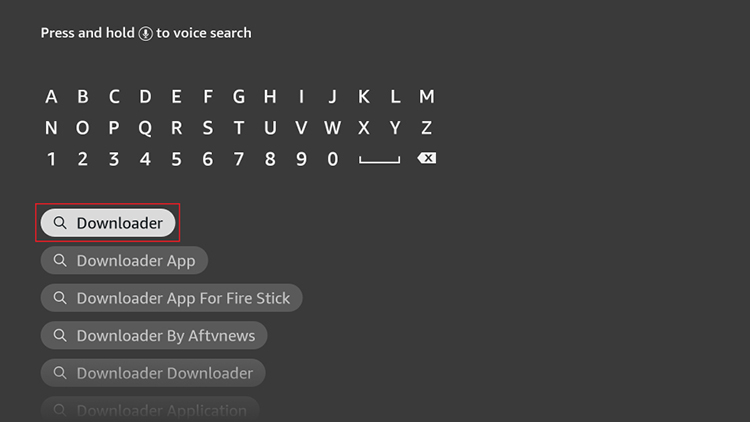
2. Enter "Downloader" using the on-screen keyboard and select the first suggested result.
Note: Press and hold the Microphone icon and say "Downloader" to search faster with Alexa.
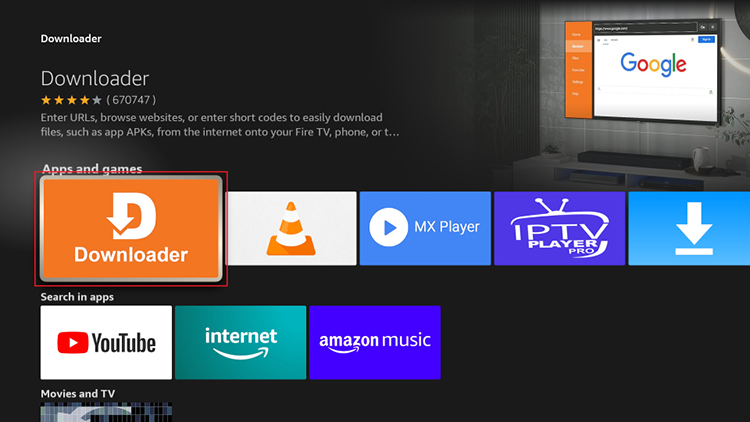
3. Under the APPS AND GAMES section, select Downloader.
4. On the Downloader app page, click Get or Download, then wait a few seconds for the app to install on FireStick.
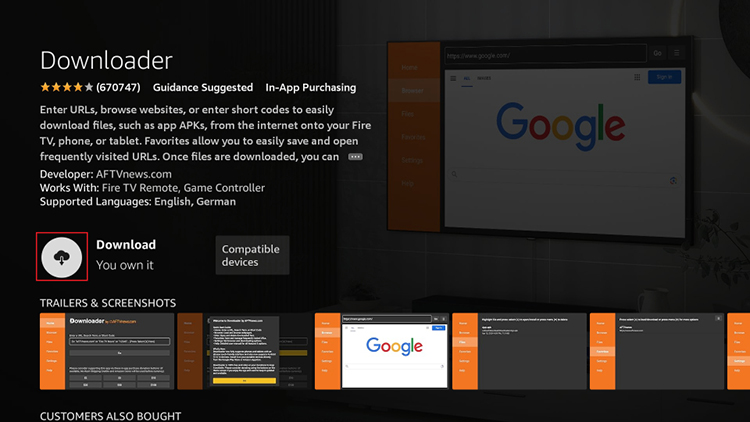
Now you can access Downloader from the Your Apps & Channels section.
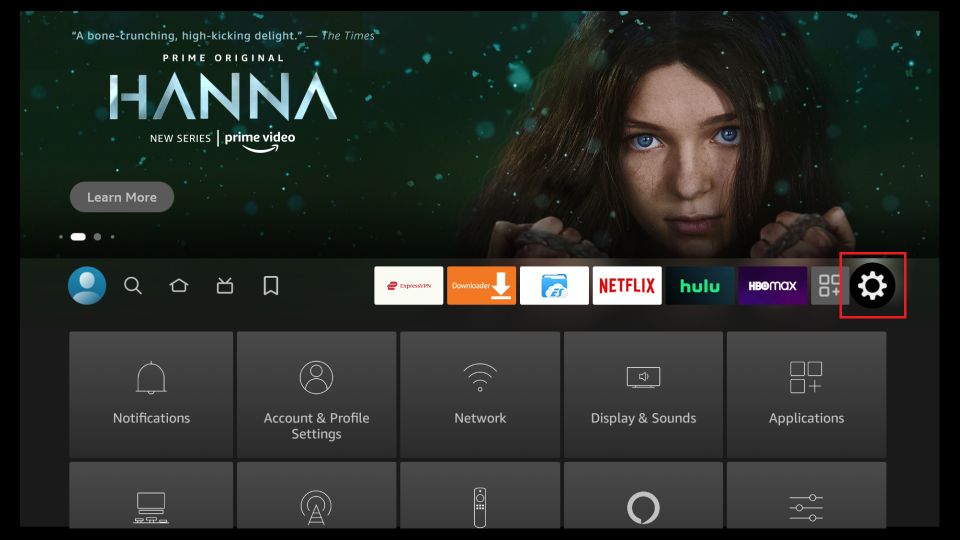
1. Go to the FireStick home screen and navigate to the Settings icon.
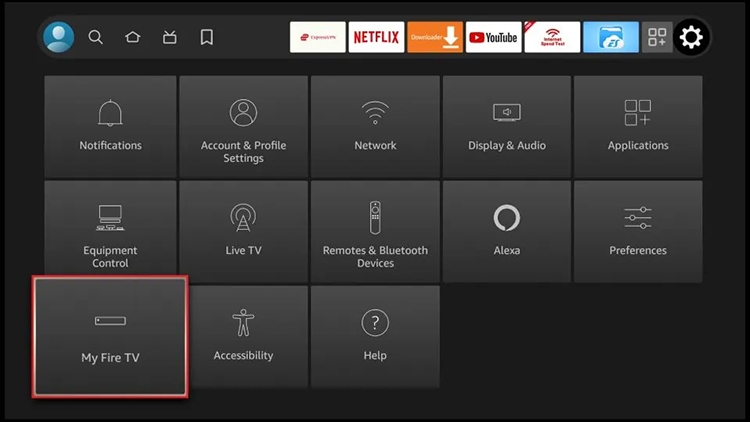
2. Scroll down to the My Fire TV option, located in the bottom left corner, and click on it.
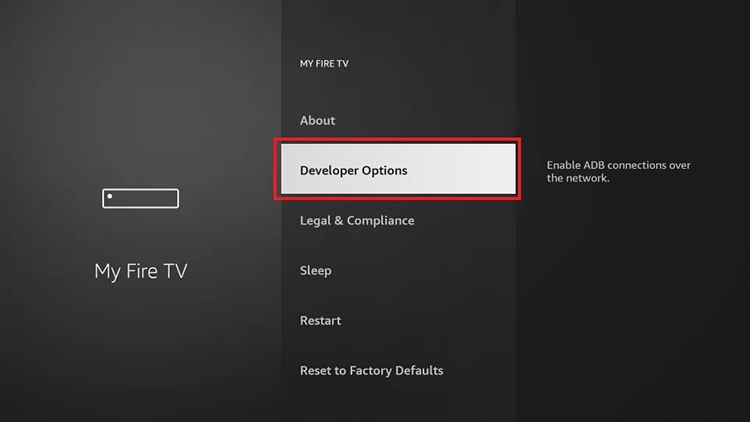
3. Click on Developer Options.
Note: If Developer Options does not appear, go to Settings > My Fire TV > About.
Then, select Fire TV Stick and press on it 7 times to enable Developer Options.
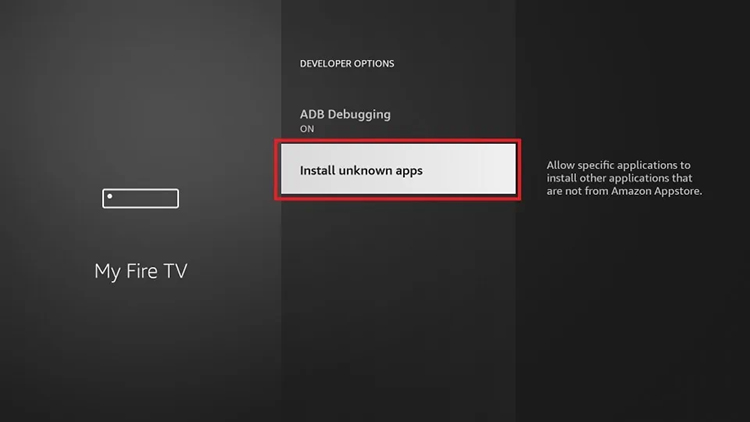
4. Depending on your FireStick device version, you will see one of the following two options:
Option 1 – Install Unknown Apps: Click on this option and proceed to the next step to enable Downloader.
Option 2 – Apps from Unknown Sources: Click on this option, then press Turn On on the displayed message. Skip the next step.
5. Navigate to Downloader and select it to turn it ON.
Note: This option will not appear if your device displayed Option 2 in the previous step.
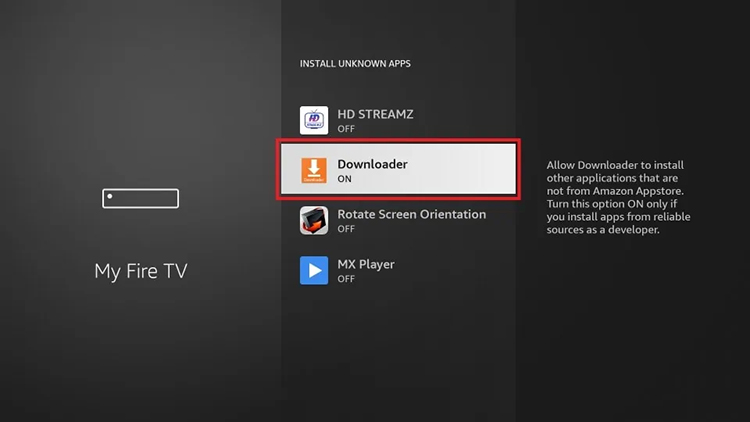
Your FireStick is now ready to install various third-party apps using Downloader.
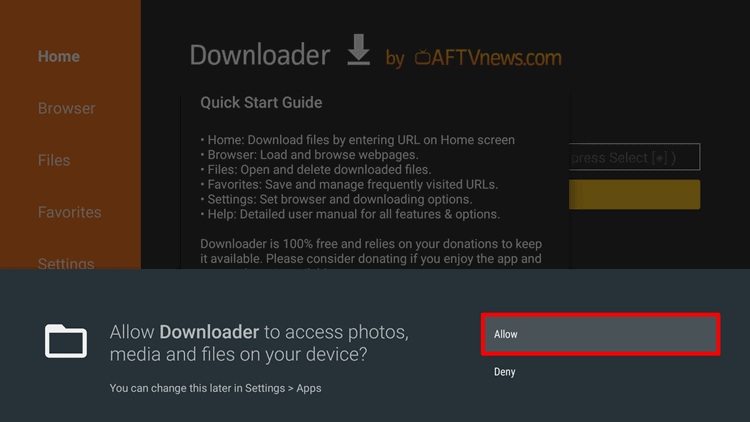
1. Click "Allow" when you see the permission warning.
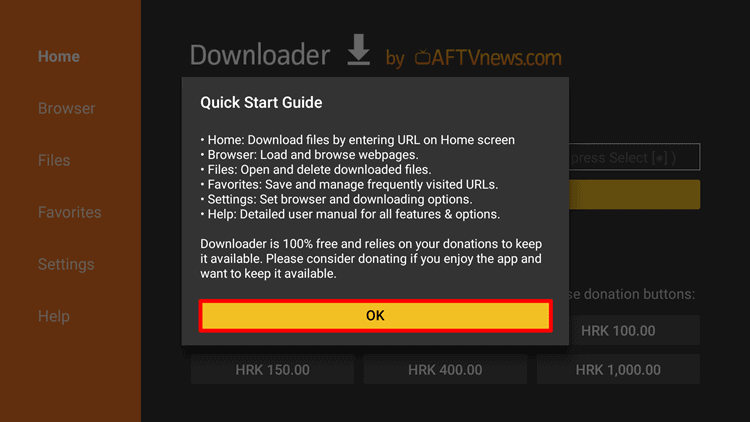
2. When you see "Quick Start Guide," click OK.
3. Now, all you need to do is enter the URL (link) of the DnBx TV APK file and click Go.
(Very important: The link must be entered in the HOME section.)
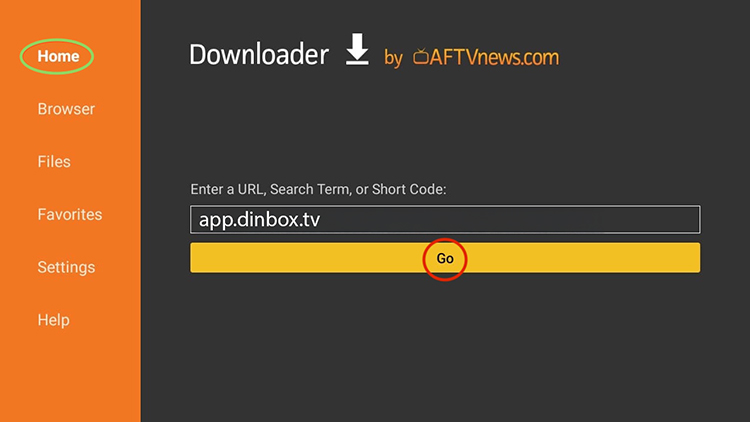
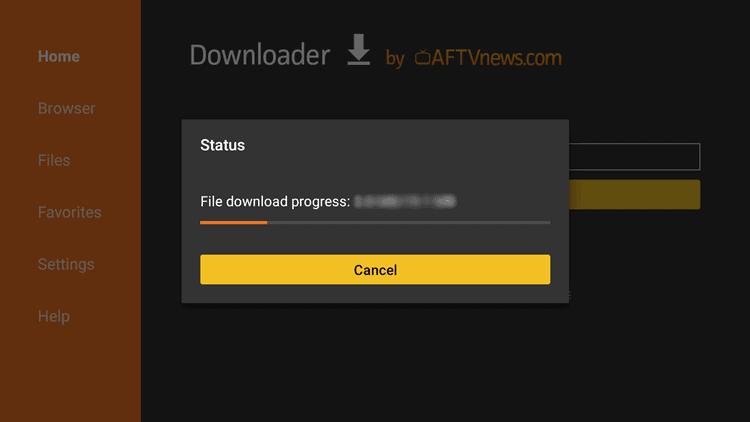
4. As shown in the image below, the APK file download will begin.
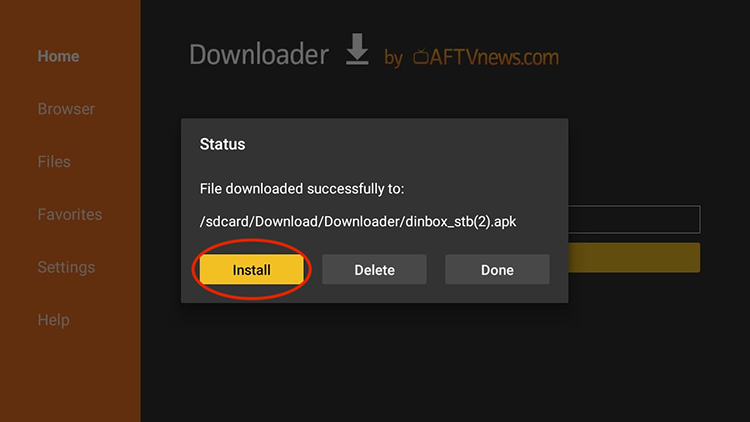
5. Once the download is complete, click Install.
We have sent a confirmation code to . Enter it in the field below to complete your registration.
Send SMS again
Don't have an account yet?
Login: 33719
Password: 951689
An email confirmation has been successfully sent to the address you provided. Please check your mailbox (and spam folder, if necessary) and follow the instructions in the email to complete the confirmation process.
You are already automatically logged in. You can place an order at tariff connection
Order nowI am already a customer