.png)
Eroare critica
If you cannot recover access, contact support service: [email protected]
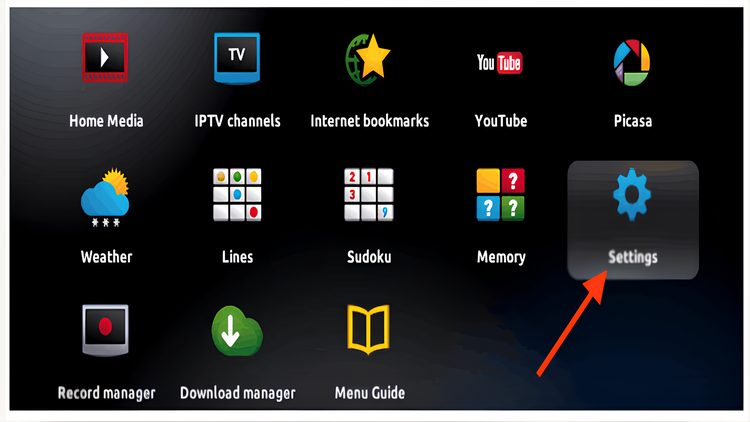
Step 1: When the box is loaded, the main portal screen will appear. After that, click on "Settings" and press the "SETUP/SET" button on the remote control.
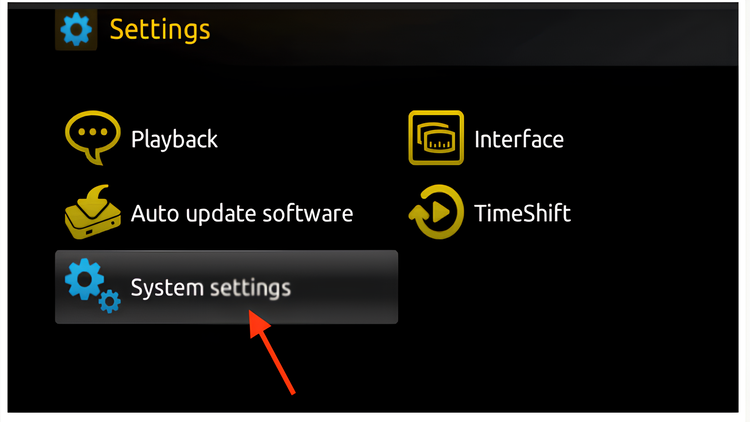
Step 2: Then press "System Settings".
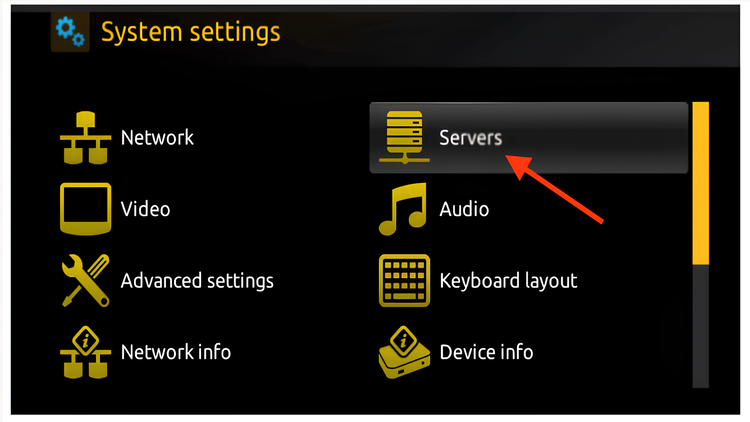
Step 3: Click on "Servers".
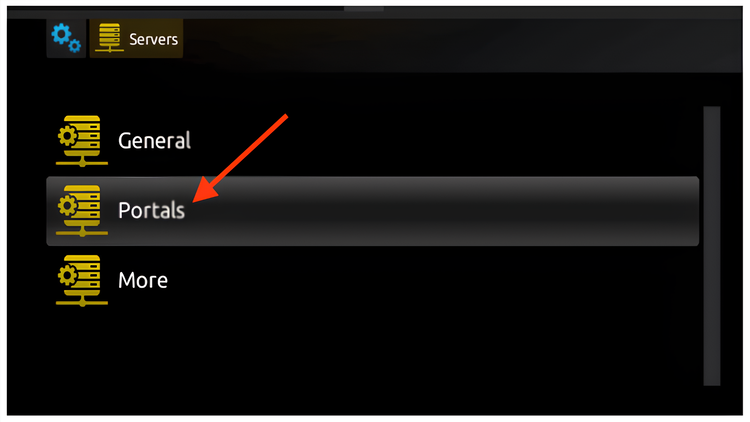
Step 4: Select and press the "Portals" option.
Step 5: In the "Portal 1 name" field, enter DnBx, and in the "Portal 1 URL" field, enter stb.dinbox.tv.
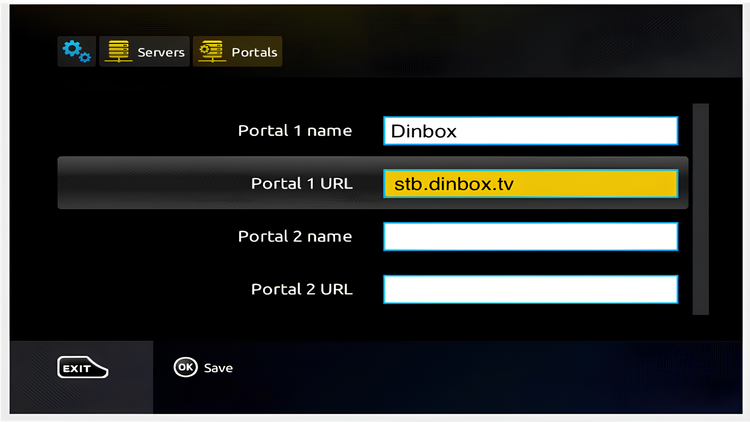
Step 6: Finally, when you’re done, select and click "OK (Save)" to save the changes.
Step 7: Press "EXIT" on the remote control after the settings are saved.
Step 8: As a result, you need to restart the box.
We have sent a confirmation code to . Enter it in the field below to complete your registration.
Send SMS again
Don't have an account yet?
Login: 33719
Password: 951689
An email confirmation has been successfully sent to the address you provided. Please check your mailbox (and spam folder, if necessary) and follow the instructions in the email to complete the confirmation process.
You are already automatically logged in. You can place an order at tariff connection
Order nowI am already a customer